Rolling out Multi-User VR Kits across an educational or enterprise training facility is a straightforward process, as our in-house Production Team handle most aspects of headset setup before shipping.
Between firmware updates, Wi-Fi configuration, storage logistics, and keeping headsets clean between users, the gap between buying multi-user VR Kits and actually running productive sessions is wider than most teams expect.
This guide walks you through every stage of deploying Multi-User VR Kits in education and enterprise training environments. You will learn how to plan your rollout, configure devices at scale, solve the most common setup challenges, and keep your fleet running long after launch day.
Whether you are an IT coordinator preparing a classroom pilot or a training manager equipping a simulation lab, the steps ahead will help you move from procurement to productive sessions with fewer surprises along the way.
RedboxXR Kits
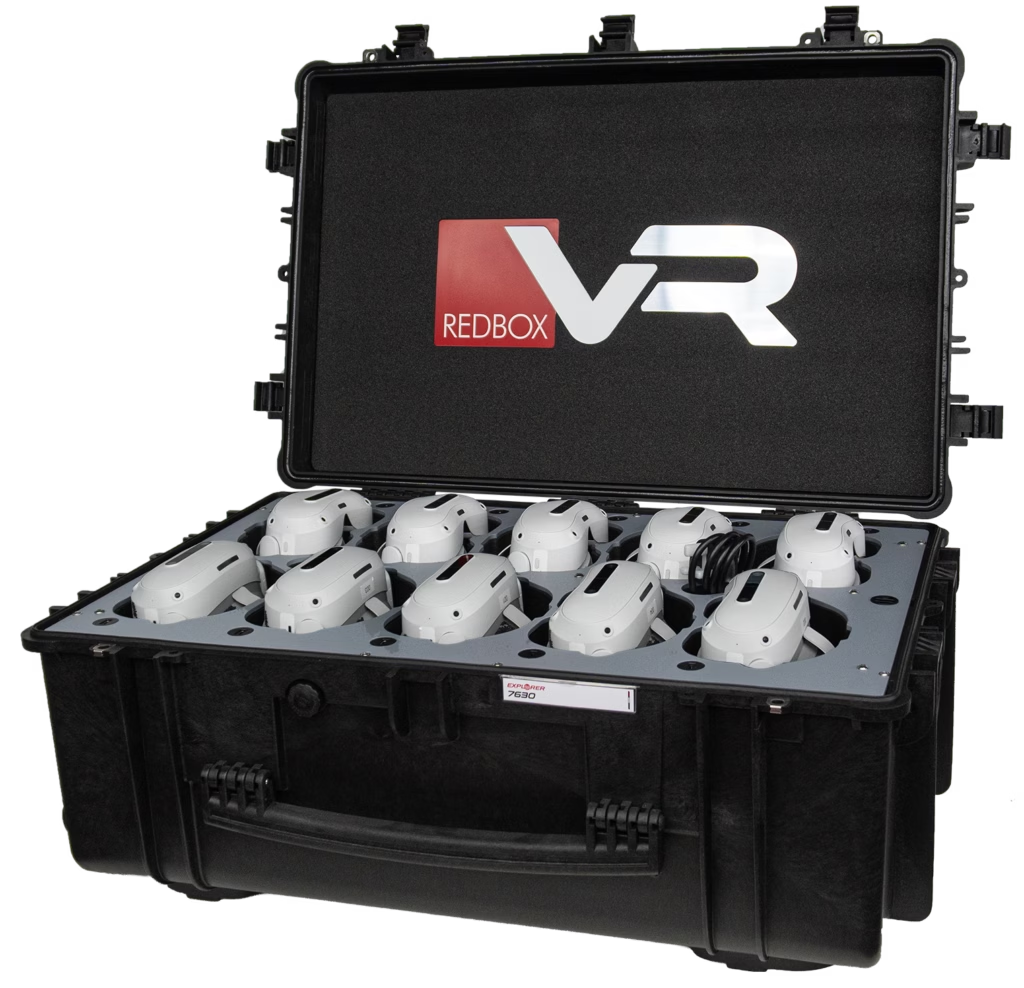
RedboxXR Kits bring together VR headsets, charging, protective storage, and setup services so you do not have to assemble a deployment from separate components. Kits can be configured around your chosen applications, group size, and working environment, whether you are equipping a classroom or introducing enterprise training.
Key Takeaways: Multi-User Virtual Reality Kit Deployment
- Multi-User Virtual Reality deployment succeeds when you plan for charging, storage, networking, and hygiene before headsets arrive.
- Turnkey preconfigured kits from providers like RedboxXR eliminate the most time-consuming setup steps for busy teams.
- MDM Platforms let administrators push apps, lock settings, and monitor headsets remotely at scale.
- Sanitisation protocols for shared VR headsets are essential in some environments, such as healthcare.
What Makes Multi-User VR Kit Deployment Different from Single Headset Use?
Deploying a single VR headset is relatively simple. You charge it, connect to Wi-Fi, download an app, and hand it over. Multiply that by 10, 15, or 30 users, and the complexity grows fast.
Additionally, shared VR headsets make direct contact with the face, absorbing sweat and transferring bacteria. In educational and enterprise settings, a cleaning routine is needed for headsets shared between students and employees.
The CDC’s cleaning and disinfection guidance recommends following manufacturers’ instructions when cleaning electronic devices. For your VR headsets, the best cleaning method is UV-C Sanitisation. If this is unavailable, the second best option is non‑alcohol antibacterial wipes.
Multi-User VR deployment introduces challenges that do not exist in single-device scenarios. You need consistent software across every headset, a reliable local network that handles simultaneous connections, a structured plan for storage and charging, and a hygiene workflow that keeps devices safe to share.
Schools and healthcare training centres face unique pressures here. Lesson schedules are tight, IT support is often limited, and the people running sessions are not VR technicians. That means your deployment plan must account for the real-world constraints of these environments.
Why Turnkey Preconfigured Kits Reduce Deployment Friction
One of the biggest time sinks in multi-user VR deployment is initial device setup. Each headset requires firmware updates, Wi-Fi credentials, app installation and account configuration. Multiply that by 30 devices or more, and you’re looking at hours of repetitive manual work.
Turnkey preconfigured kits solve this problem by arriving ready to use. RedboxXR Kits, for example, ship with headsets already updated, apps pre-installed, and device management configured. Our in-house production team handles software updates, account creation, and settings so that your staff can take headsets out of the case and start a session immediately.
How Schools and Enterprise Organisations Approach Deployment Differently
Education-Specific Considerations
Schools need safeguarding controls. Headsets should be locked down so students cannot access the open internet, social features, or unapproved applications. Kiosk mode restricts the device to pre-approved content only.
Timetable constraints also shape deployment. A VR session needs to fit within a standard lesson period, including time for distributing headsets, running the experience, collecting devices, and cleaning them.
Staff training is critical. Teachers are not technicians, and the system must be simple enough that an educator can set up and run a session independently. RedboxXR Classroom Kits are designed with this in mind, bundling a teaching tablet alongside the headsets so the instructor controls the session from a single device.
Enterprise-Specific Considerations
Enterprise training needs to fit your working environment. Plan sessions around shifts, staff availability, and room access. Use face interfaces that can be cleaned according to the manufacturer’s instructions, and document your cleaning routine between users.
Choose enterprise training content around the skills your employees need to practise. Workplace safety, onboarding, communication, and leadership development are examples to consider. Check that each application supports your chosen headsets and training objectives before deployment.
Data tracking is another factor. Many compliance programmes require evidence that a trainee completed a specific module. Confirm that your VR platform and device management setup can export usage logs or integrate with your learning management system.
What to Look for in a Supplier of Multi-User VR Kits
Not all VR kit providers are equal. When evaluating suppliers, focus on what happens after the sale, not just the hardware specifications.
Key Considerations
Can the provider deliver headsets pre-configured and ready to use? Do they offer a dedicated Support Team for troubleshooting? What device management options are included? Is there a warranty, and what does it cover?
RedboxXR provides a White Glove Service that handles firmware updates, software installation, account creation, and device management configuration before kits ship. This means your team receives hardware that works on day one, backed by a UK-based support team.
In Conclusion: Building a Deployment Plan That Works
Deployment is not the finish line. A well-maintained fleet delivers value for years. A neglected one becomes expensive clutter. Success depends on choosing kits that arrive ready to run, training your staff, and building hygiene and maintenance routines from day one.
Schools and enterprise training teams that approach deployment methodically, starting with a focused pilot and scaling with data, consistently get the most from their investment. The technology is ready. With the right preparation, your team will be too.
